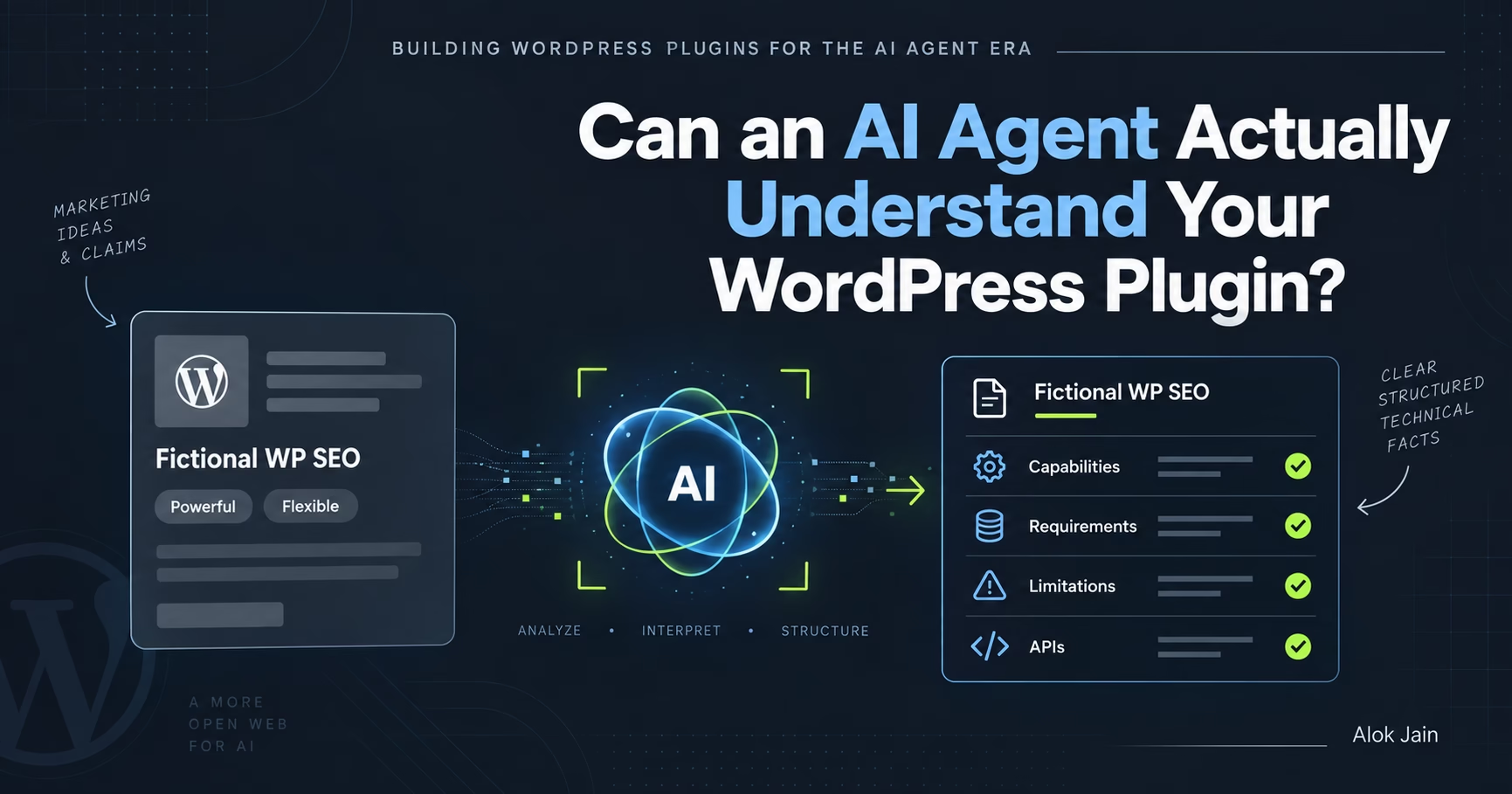
In the first article of this series, we looked at a shift in how WordPress plugins may get selected. Instead of someone searching Google and comparing a few plugin sites themselves, they may just tell an AI coding agent what they need, and the agent ends up deciding which plugin to use.
That raises the first practical problem: can the agent actually understand what your plugin does? Let’s work through it using FictionalWPSEO, our running example of a fictional premium WordPress SEO plugin.
The homepage most of us would build
Imagine the first section reads:
Powerful SEO for WordPress
Take control of your rankings with the most advanced, flexible and easy to use SEO plugin for WordPress.
Nothing wrong with this as marketing. You’ll find near-identical language on a thousand software sites. But picture an AI coding agent reading it. What has it actually learned? That FictionalWPSEO is apparently powerful, advanced, flexible, easy to use. None of that answers a technical question like: can it programmatically modify SEO titles for WooCommerce products?
Marketing language and selection information are different things
A human evaluating the plugin has roughly the same questions an agent does. The difference is a human is willing to browse: the features page, the WooCommerce page, the docs, then Google. An agent has to gather enough evidence in one pass to make the same call.
So alongside the marketing copy, give it something concrete. Instead of “Advanced WooCommerce SEO”:
FictionalWPSEO adds SEO metadata and Schema support for WooCommerce products. Developers can read and modify product SEO titles, descriptions, canonical URLs and Product Schema through the PHP API.
Now we’ve said something. Platform: WooCommerce. Content: products. Capabilities: metadata, canonical URLs, Product Schema. Integration method: PHP API. That’s information an agent can actually reason about.
Describe capabilities explicitly
Say FictionalWPSEO supports:
SEO titles
Meta descriptions
Canonical URLs
XML sitemaps
Open Graph metadata
Schema.org markup
Redirects
WooCommerce SEO
Custom post types
PHP API
WordPress hooks and filters
REST API
A normal features page turns those into twelve attractive boxes for humans. Fine, but I’d also add a plain technical capabilities section:
Plugin Capabilities
FictionalWPSEO provides SEO management for WordPress posts, pages, public custom post types and WooCommerce products. It supports SEO titles and meta descriptions, canonical URLs, XML sitemaps, Open Graph and social metadata, Schema.org structured data, redirect management, WooCommerce Product Schema, a developer PHP API, WordPress actions and filters, and REST API access.
Not exciting. That’s the point. Not every part of your site needs to read like an ad. Some parts should just explain the product.
Tell the agent what the plugin requires
Once the agent knows FictionalWPSEO has the right features, it still needs to know whether it can actually run in this project:
Requirements
FictionalWPSEO requires WordPress 6.8 or later, PHP 8.1 or later, and pretty permalinks enabled for redirect management. WooCommerce SEO features require WooCommerce 10.0 or later. The plugin doesn’t require jQuery, Elementor or any external SaaS account.
Useful to developers regardless. For an agent, it’s a hard constraint it can check immediately: if the project runs PHP 7.4, it knows the plugin’s incompatible before install rather than after.
Don’t hide important facts inside FAQs
A common pattern:
Does FictionalWPSEO work with custom post types?
Yes! FictionalWPSEO works great with custom post types.
Better than nothing, but vague. More precise:
FictionalWPSEO supports all public WordPress custom post types with
show_uienabled. Individual post types can be included or excluded from XML sitemaps and SEO metadata management from SEO → Content Types.
Now both a developer and an agent understand what “supports custom post types” actually means.
Features need context
“REST API support” doesn’t say much on its own. Can I retrieve SEO metadata? Update it? Create redirects? Change global settings? Does it use standard WordPress REST authentication? Document the actual shape of the capability:
FictionalWPSEO exposes SEO metadata through the WordPress REST API. Authenticated users with appropriate capabilities can retrieve and update SEO metadata for supported content types. Redirects can also be created, retrieved and deleted through dedicated REST endpoints. Global plugin configuration is not currently writable through the REST API.
That last sentence matters as much as the rest. It tells the agent what the API can’t do.
Document what your plugin doesn’t do
This feels uncomfortable on a sales site, since we’re trained to emphasize strengths. But imagine an agent choosing between three plugins. FictionalWPSEO says “complete WordPress SEO solution.” Plugin B says it supports multilingual XML sitemaps with WPML and Polylang. Plugin C says it supports multisite network-level SEO. If the agent needs multilingual sitemaps and we haven’t said whether we support them, it has to guess, search elsewhere, or pick the plugin with clearer docs.
I’d rather state it directly:
Current Limitations
FictionalWPSEO currently doesn’t provide multilingual sitemap management, multisite network-wide SEO configuration, built-in keyword rank tracking, or automatic AI-generated content. These may require additional plugins or services.
Strange move from a marketing perspective. Valuable from a technical selection one, and it builds trust.
Give features a “when to use” context
Take it further than a feature list:
When FictionalWPSEO Is a Good Fit
Consider FictionalWPSEO when you’re building a custom WordPress theme, when your plugin needs programmatic access to SEO metadata, when you’re building custom post types that require SEO control, when WooCommerce product Schema needs programmatic changes, when you need hooks and filters for SEO output, or when SEO data needs to be available through the REST API.
Now if someone tells their agent “build a custom WordPress property website, properties are a custom post type, I need complete programmatic control over SEO metadata,” the overlap between their requirement and our documented use case is obvious.
Explain when it isn’t the right choice too
When FictionalWPSEO May Not Be the Right Fit
Consider another solution if you need built-in keyword rank tracking, multilingual sitemap management without an additional integration, a non-WordPress site, or network-wide SEO management across a large multisite installation.
This doesn’t guarantee a recommendation. It gives the agent what it needs to rule the plugin in or out, which is valuable either way.
Pricing is part of the technical decision too
Because FictionalWPSEO is paid, pricing shouldn’t be hard to find or interpret. Say the plans are Single Site at $59/year, Agency at $199/year, Unlimited at $299/year. Explain what those actually mean:
A Single Site license can be activated on one production installation and one associated staging installation. All plans include the complete plugin; plans differ only by activation limits and support level.
Now an agent can factor licensing into a recommendation, rather than working from “plans starting from $59.”
One definitive product information page
If I were building FictionalWPSEO today, I’d create something like /product-information/ or /docs/product-overview/, complementary to the marketing homepage, containing: what the plugin is, primary capabilities, supported content types, WooCommerce support, PHP and REST API availability, hooks and filters, requirements, dependencies, known limitations, licensing, current version, documentation links, changelog.
Think of it as the plugin’s technical identity card. A human can scan it. A search engine can index it. An AI system can extract from it. Your support team can link to it.
Make each claim verifiable
“FictionalWPSEO is the fastest WordPress SEO plugin” is a strong claim with no evidence attached. Compare it to “FictionalWPSEO loads no frontend JavaScript on pages where its frontend features aren’t required,” which is specific and testable. Or “supports PHP 8.1 through 8.5, tested against currently supported WordPress versions,” which we can actually document and verify.
We’ll get into benchmarks properly later in the series, but the principle starts here: prefer facts over adjectives. Instead of “lightweight,” say what loads. Instead of “developer friendly,” show the API. Instead of “WooCommerce compatible,” say exactly which functionality. Instead of “highly extensible,” show the hooks.
This is still good marketing
None of this means turning the homepage into API documentation. It still needs to communicate value; you can keep “Take Control of WordPress SEO. Everything you need to manage technical SEO without giving up control of your WordPress development workflow,” then demonstrate the benefits underneath it. The difference is that somewhere behind the marketing layer, precise information needs to exist. Think of it as two layers: a marketing layer with benefits, problems solved, screenshots, testimonials, sitting on top of a technical layer with capabilities, requirements, limitations, APIs, compatibility, documentation. Humans benefit from both. AI agents benefit particularly from the second.
A simple test for your own plugin
Take a WordPress plugin you’re building. Pretend you know nothing about it, and try to answer these using only the public website: what exactly does this do, which WordPress features does it integrate with, which WordPress and PHP versions does it support, what dependencies does it have, can another plugin interact with it programmatically, which APIs, hooks and filters exist, what doesn’t it support, when should I choose it over another solution, when shouldn’t I, how much does it cost. If you have to interpret vague copy to answer those, an agent will hit the same wall.
Our fictional plugin is now understandable
We haven’t added anything AI-specific to FictionalWPSEO yet. No special AI API, no MCP server, no clever trick. We’ve just made the product easier to understand, and that’s intentional. Before worrying about discoverability, we need enough clear information for the agent to evaluate the plugin once it finds it.
FictionalWPSEO now has clear capabilities, clear requirements, clear limitations, clear use cases, clear developer interfaces, and clear licensing. Better starting point, but it creates a new problem: this information now lives across the homepage, product pages, developer pages, FAQs and documentation. How should it all be organized so a developer, or an agent, can reliably find the exact answer it needs? That’s next.
Next: I Built a Documentation Site for an AI Agent, Not Just a Developer