
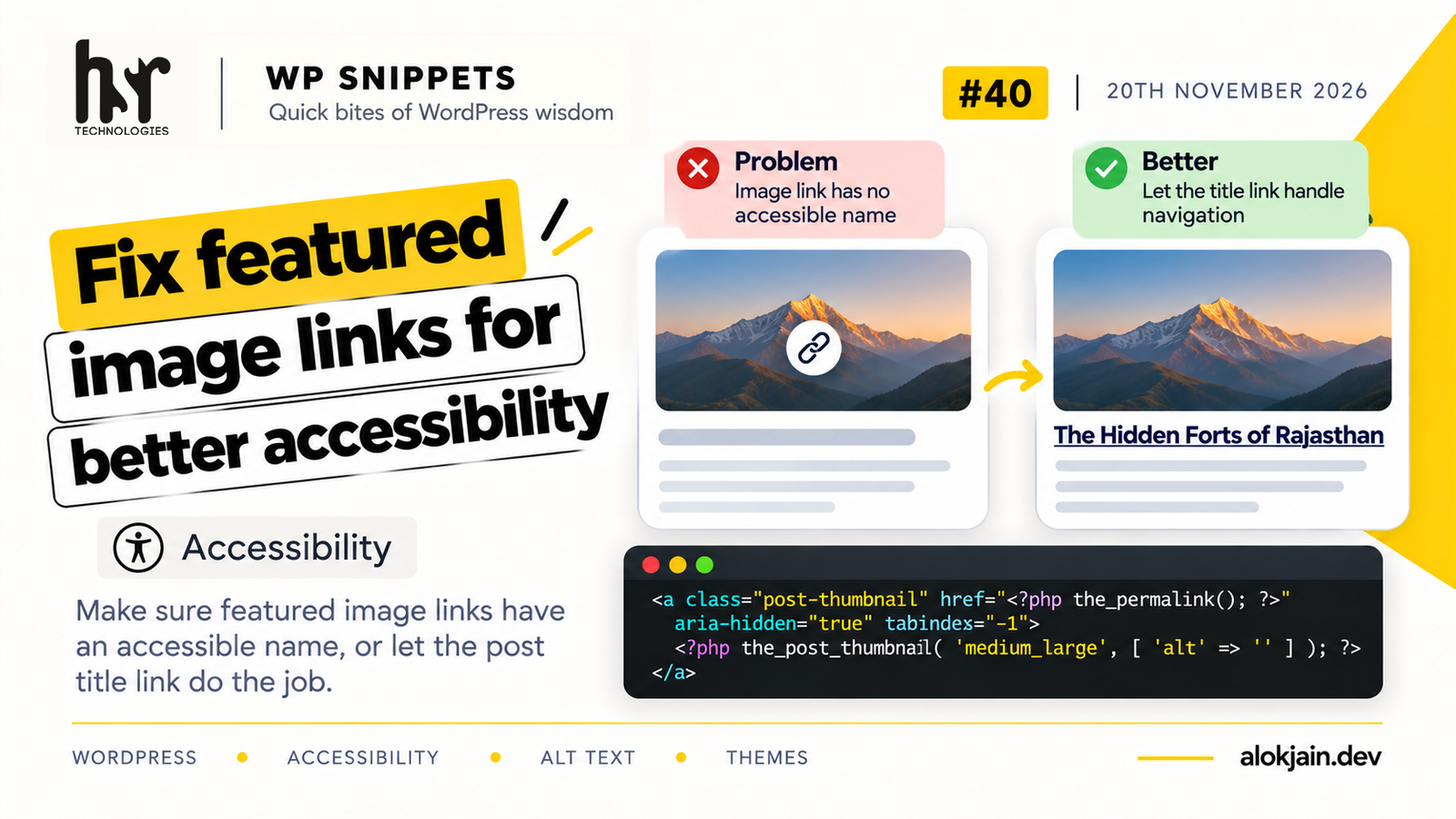
Most blog archives wrap the featured image in a link to the post. If that image has no alt text, the link has nothing inside it a screen reader can announce. Depending on the screen reader, users hear “link,” the image’s file name, or the full URL.
It’s one of the most common accessibility errors on WordPress sites, and it comes from the theme template more than from editors forgetting alt text.
1. Find images with no alt text
WordPress stores alt text as post meta called _wp_attachment_image_alt. This query lists every image in the media library that doesn’t have it:
wp db query "SELECT p.ID, p.post_title FROM wp_posts p LEFT JOIN wp_postmeta m ON p.ID = m.post_id AND m.meta_key = '_wp_attachment_image_alt' WHERE p.post_type = 'attachment' AND p.post_mime_type LIKE 'image/%' AND ( m.meta_value IS NULL OR m.meta_value = '' );"(If your table prefix isn’t wp_, change both table names to match. wp db prefix tells you what it is.)
On most sites this list is long. Fixing every image is worth doing over time, but the template fix in step 2 solves the archive problem today regardless of what’s in the list.
2. Fix the linked thumbnail in your template
Archive templates usually show the featured image and the post title, both linking to the same post. That means keyboard and screen reader users hit two links to the same place, and the first one may have no name.
The cleanest fix is to take the image link out of the way and let the title link do the job:
<?php if ( has_post_thumbnail() ) : ?>
    <a class="post-thumbnail" href="<?php the_permalink(); ?>" aria-hidden="true" tabindex="-1">
        <?php the_post_thumbnail( 'medium_large', array( 'alt' => '' ) ); ?>
    </a>
<?php endif; ?>

<h2 class="entry-title">
    <a href="<?php the_permalink(); ?>"><?php the_title(); ?></a>
</h2>
aria-hidden="true" removes the image link from what screen readers announce, and tabindex="-1" takes it out of the Tab order. Mouse users can still click the image exactly as before.
Passing 'alt' => '' to the_post_thumbnail() overrides whatever alt text the image has. Since the link is hidden from screen readers anyway, the alt text would never be heard, and an empty alt keeps it from being read out of context elsewhere.
If your design has no visible title link next to the image, this approach doesn’t fit. In that case keep the link visible to everyone and give the image the post title as its alt text instead:
<?php the_post_thumbnail( 'medium_large', array( 'alt' => the_title_attribute( array( 'echo' => false ) ) ) ); ?>the_title_attribute() returns the title with HTML stripped and escaped for use inside an attribute. The echo => false makes it return the value instead of printing it.
3. Check what screen readers get
Open an archive page in Chrome, right-click the featured image, choose Inspect, and open the Accessibility tab in DevTools.
With the first approach, the link should show as hidden from the accessibility tree. With the second, the link’s Name should be the post title.
Press Tab through a few posts as well. With the first approach, focus should go straight from one title to the next, skipping the images.
Warning: don’t fill in every missing alt text with the file name or post title in bulk.
Some plugins offer to do this automatically, and it’s tempting when step 1 returns hundreds of images. But a screen reader then reads “IMG underscore 4521 dot jpg” or repeats the post title for every image in the post.
Alt text should describe what the image shows, or be empty if the image is purely decorative. An empty alt is a deliberate choice that tells screen readers to skip the image, which is much better than a wrong one.
That’s all for this one.
Try it: run the query from step 1 on one of your sites and tell me how many images came back, out of how many images in total.