
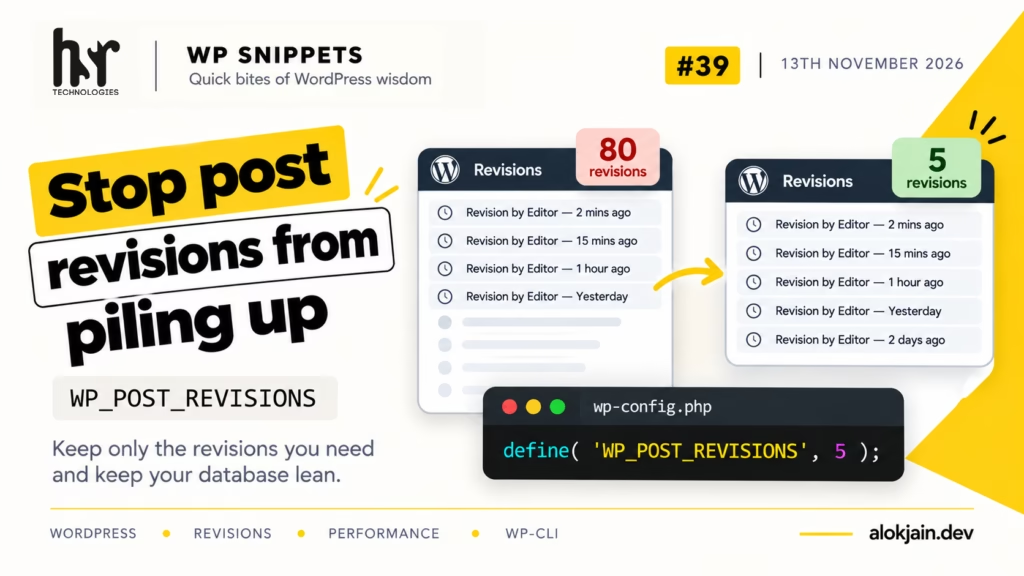
By default, WordPress keeps every revision of every post, forever. A post that’s been edited 80 times has 80 extra rows in wp_posts, each with a full copy of the content. On an older site with active editors, revisions can easily outnumber the actual posts.
They don’t slow down a normal page load much on their own, since most front-end queries skip them. Where you feel it is in backups, database migrations, and admin screens and plugins that query wp_posts without being careful about it.
1. See how many you have
wp post list --post_type=revision --format=countCompare that with your published posts:
wp post list --post_type=post --post_status=publish --format=countTo see what that does to the database size, wp db size --tables lists every table with its size. Look at the wp_posts row.
2. Set a limit in wp-config.php
Add this above the “That’s all, stop editing!” line:
define( 'WP_POST_REVISIONS', 5 );WordPress now keeps the five most recent revisions of each post. A number limits them, false (or 0) turns revisions off completely, and the default true keeps them all.
I’d keep at least a few. Revisions are what saves an editor who accidentally deletes half a post and hits Update.
The limit doesn’t delete anything right away. WordPress trims a post’s old revisions the next time that post is saved, so existing posts keep their full history until someone edits them.
3. Use a different limit per post type
The constant applies to everything. If pages change rarely but posts get heavy editing, the wp_revisions_to_keep filter lets you set each one separately:
add_filter( 'wp_revisions_to_keep', function ( $num, $post ) {
    if ( 'page' === $post->post_type ) {
        return 3;
    }

    return $num;
}, 10, 2 );
$num is whatever the constant set, so every post type except pages keeps that value. The filter runs after the constant, so its return value always wins.
4. Clean up the old ones
To clear existing revisions without waiting for each post to be edited, export the database first:
wp db export before-revisions-cleanup.sqlThen delete every revision:
wp post delete $(wp post list --post_type=revision --format=ids) --forceThe inner command lists all revision IDs, and the outer one deletes them. --force skips the trash, since revisions can’t go there anyway. (On a site with tens of thousands of revisions the ID list can get too long for one command; running it a few times with --posts_per_page=1000 added to the inner command works around that.)
Run step 1 again afterwards and the count should be 0.
Warning: this deletes revision history permanently.
There’s no undo from the admin. If an editor needs an older version of a post next week, the only way back is the export you made before running it.
If you’d rather keep some history, skip step 4. The limit from step 2 trims things gradually as posts get edited.
That’s all for this one.
Try it: run the two count commands from step 1 on your oldest site and tell me the ratio of revisions to published posts. My guess is that some of you will see more than 10 to 1.