
The earlier issue on the Abilities API registered an ability that took no input. Most useful abilities need something from the caller: a post ID, a date range, a search term. That’s what input_schema is for.
This ability takes a post ID and returns a short summary of that post: title, status, word count and a 40-word excerpt. It’s the kind of thing an AI agent would call before deciding whether a post needs editing.
1. Register the category
If you followed the earlier issue, you already have this. If not, add it first:
add_action( 'wp_abilities_api_categories_init', function () {
    wp_register_ability_category( 'hsr-content', array(
        'label'       => __( 'Content', 'hsr' ),
        'description' => __( 'Abilities that read site content.', 'hsr' ),
    ) );
} );
2. Register the ability
add_action( 'wp_abilities_api_init', function () {
wp_register_ability( 'hsr/get-post-summary', array(
'label' => __( 'Get post summary', 'hsr' ),
'description' => __( 'Returns the title, status, word count and a short excerpt for one post, given its ID. Read-only, does not change any content. Requires permission to read that specific post.', 'hsr' ),
'category' => 'hsr-content',
'input_schema' => array(
'type' => 'object',
'properties' => array(
'post_id' => array(
'type' => 'integer',
'description' => __( 'ID of the post to summarize.', 'hsr' ),
'minimum' => 1,
),
),
'required' => array( 'post_id' ),
'additionalProperties' => false,
),
'output_schema' => array(
'type' => 'object',
'properties' => array(
'title' => array( 'type' => 'string' ),
'status' => array( 'type' => 'string' ),
'word_count' => array( 'type' => 'integer' ),
'excerpt' => array( 'type' => 'string' ),
),
),
'execute_callback' => function ( $input ) {
$post = get_post( $input['post_id'] );
if ( ! $post ) {
return new WP_Error( 'hsr_post_not_found', __( 'No post found with that ID.', 'hsr' ) );
}
$text = wp_strip_all_tags( $post->post_content );
return array(
'title' => get_the_title( $post ),
'status' => $post->post_status,
'word_count' => str_word_count( $text ),
'excerpt' => wp_trim_words( $text, 40 ),
);
},
// If you change this capability, update the description above to match.
'permission_callback' => function ( $input ) {
return current_user_can( 'read_post', $input['post_id'] );
},
'meta' => array(
'show_in_rest' => true,
'annotations' => array( 'readonly' => true ),
),
) );
} );
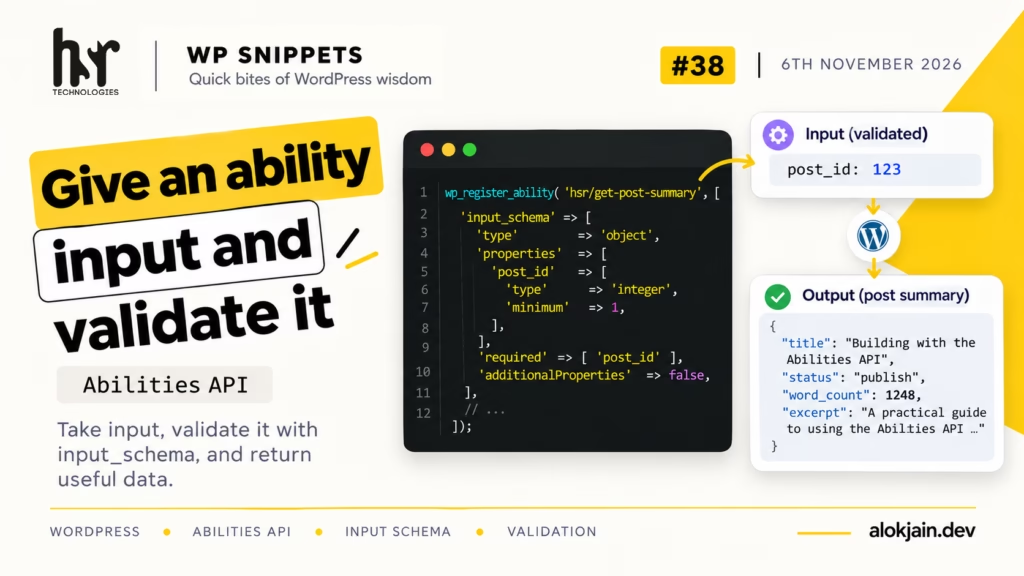
The input schema. This describes what a caller has to send: an object with a post_id that’s a whole number of at least 1. required makes it mandatory, and additionalProperties => false rejects anything else sent along with it.
WordPress checks every call against this schema before your callbacks run. Send "abc" or leave post_id out, and the caller gets a validation error. Your code never sees bad input, so the callbacks don’t need their own type checks.
The description inside post_id is worth filling in. An AI agent reads it the same way it reads the ability’s own description, to work out what value to send.
I also mention the read-only status and the permission requirement in the ability’s own description. The readonly annotation already says it, but not every AI tool passes annotations to the model, and the description is the one field they all read. Just keep it in step with the code, which is what the comment above permission_callback is for.
The callbacks receive the input. Both execute_callback and permission_callback get the validated input as an array, so $input['post_id'] is guaranteed to be an integer by the time you use it.
execute_callback strips the HTML from the post content once, then uses that plain text for both the word count and the excerpt. (str_word_count() only counts Latin-alphabet words reliably, so the count will be off for posts in Hindi or other non-Latin scripts.)
If something goes wrong inside the callback, return a WP_Error. The caller gets your error code and message instead of a result.
Warning: check permission on the specific post, not just the user’s role.
The earlier issue used current_user_can( 'edit_posts' ), which only asks “can this user edit posts in general?” For an ability that takes a post ID, that’s not enough.
With a general check, any contributor could pass the ID of someone else’s private draft and read it. read_post with the ID asks the right question: can this user read this particular post?
3. Run it with WP-CLI
Replace 1 with a real post ID on your site:
wp eval '$r = wp_get_ability( "hsr/get-post-summary" )->execute( array( "post_id" => 1 ) ); print_r( is_wp_error( $r ) ? $r->get_error_message() : $r );' --user=adminYou should see the title, status, word count and excerpt.
Now send bad input by changing 1 to "abc". You’ll get a validation error without the callback ever running.
Then try an ID that doesn’t exist, like 999999. You’ll see a permission error, not the “No post found” message. That’s because read_post can’t be granted on a post that doesn’t exist, so the permission check stops it first. The WP_Error in the callback is still worth keeping as a safety net.
That’s all for this one.
Try it: add an optional words property to the input schema (an integer between 10 and 100) and use it in place of the fixed 40 in wp_trim_words(). Tell me how you handled the case where the caller doesn’t send it.